
Servers and clouds
Your clouds and servers, like disks
Your clouds show up in the sidebar on their own. Add your NAS and your servers once: they mount like disks, in Folia Files, in the Finder and in the Open and Save dialogs of every app.
- SMB, WebDAV, FTP, AFP, NFS
- SFTP and S3 with rclone
- Never frozen by a slow server
7 days free with every feature, no account, no card. Then $49.99 once for up to 3 Macs, every future update included — no subscription.

In short
Folia Files lists iCloud Drive, Dropbox, Google Drive, OneDrive and pCloud as soon as their apps are installed. It connects to SMB, WebDAV, FTP, AFP and NFS shares, and — through rclone, a free tool — to SFTP, S3 and clouds directly. Connections mount like disks, files open in any app and save back, and everything on a network disk is read in the background, so a server that stops answering never locks the window.
Clouds, with nothing to set up
iCloud Drive, Dropbox, Google Drive, OneDrive and pCloud appear in the sidebar as soon as their own app is installed, with their sync status. Work in them like in any folder, side by side with your disks.

NAS and servers, mounted like disks
Add a connection once — SMB, WebDAV, FTP, AFP, NFS; SFTP, S3, Dropbox, Google Drive, OneDrive, pCloud or Box through rclone — and it mounts like a disk. It shows in Folia Files, in the Finder and in the Open and Save dialogs of every app.
Open a file from a server in the app of your choice: every save goes back to the server, after checking that nobody changed it there in the meantime.
- Passwords in the Keychain
- Reconnects quietly when the network comes back
- Edit in place, with a check before each save
A frozen server never freezes the app
Everything on a network disk is read in the background. When a server stops answering, its pane waits — the window, the other panes and your copies elsewhere carry on.
Copies that drop on the way resume where they stopped, and can be verified byte for byte.
Sync and back up to your NAS
Keep two folders identical on demand, on a schedule or at every change, and keep dated backups of your important folders on a disk or a NAS.
See it in action
-
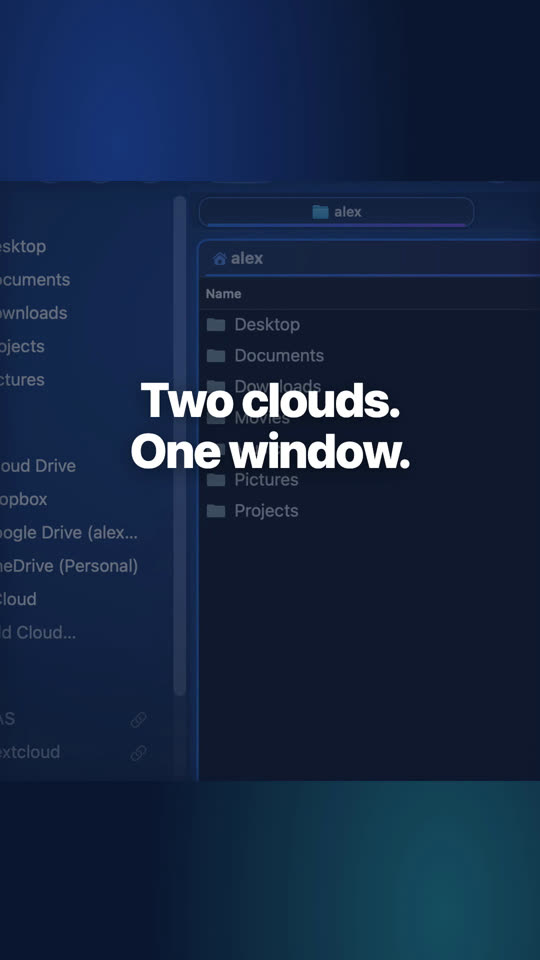
Dropbox and pCloud side by side
Your clouds sit in the sidebar like any folder: open two side by side and copy from one to the other with F5.

Website edition and Mac App Store
Network shares (SMB, AFP, NFS, WebDAV, FTP) work in both editions. SFTP, S3 and direct cloud connections rely on rclone (brew install rclone): in the website edition they work right away; in the Mac App Store edition they need Folia Files Companion, a small free app, because Apple's sandbox does not let an app start rclone.
Questions
Only for SFTP, S3 and direct cloud connections. Clouds installed with their own app and network shares (SMB, WebDAV, FTP…) need nothing more.
In the macOS Keychain, like the Finder's. Folia Files has no account and no server of its own for your connections.
Yes: a mounted connection is a disk for the whole Mac — the Finder and every app's Open and Save dialogs show it.
Keep reading
Sync and backups
Two folders kept identical, dated backups on a disk or a NAS, restored in one click.
Folia Files vs ForkLift
The dual-pane classic and file-transfer client, compared feature by feature.
A Mountain Duck alternative
Servers and clouds mounted as disks, inside a full file manager, paid once.

See for yourself, free for 7 days
Every feature, no account, no credit card. Then $49.99, once, every future update included — no subscription.