
When an item already exists
The dialog that compares both items when a copy or move meets a name already taken — Keep Both, Replace, If Newer, Merge, Skip or Stop.
The Mac App Store edition is coming soon. The website edition has everything. Compare the editions
When a copy or a move meets an item of the same name at the destination, Folia Files stops on that item and shows a dialog: “name” already exists.
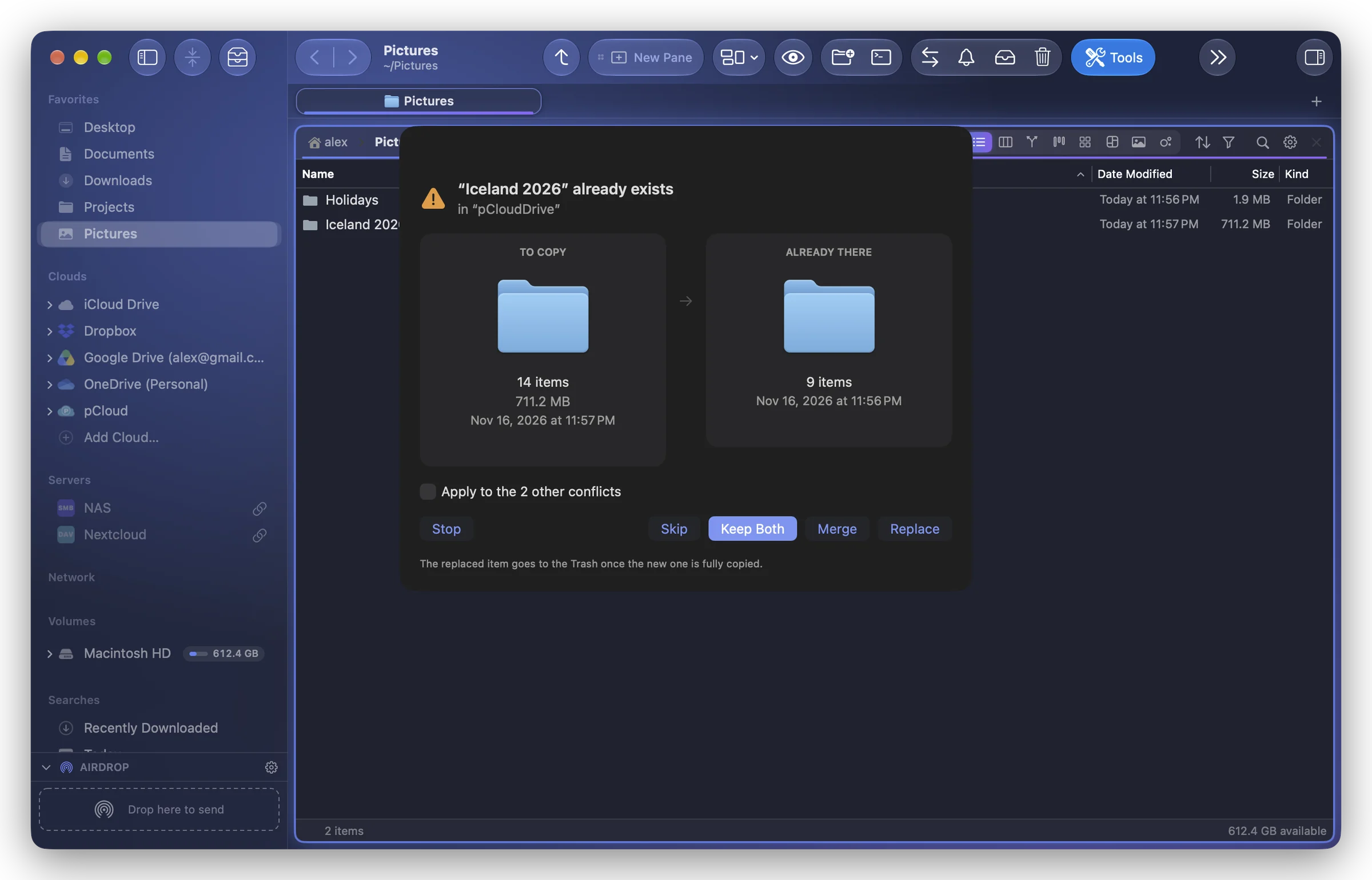
What the dialog shows
Both items side by side, To Copy (or To Move) and Already There: a preview, the size (a folder's item count), the modification date, and which one is Newer or Larger.
The choices
| Button | What it does |
|---|---|
| Keep Both | The item you copy gets a free name (“name 2”). This is the default button: pressing ↩ never replaces anything. |
| Replace | The new item takes the place of the old one. The old one goes to the Trash once the new one is fully copied, never before. |
| If Newer | Replaces only if the item being copied (or moved) is newer. |
| Merge | For folders: adds the contents to the existing folder; when a file is in both, the newer one is kept. |
| Skip | Leaves this item out and goes on with the others. |
| Stop | Ends the operation. What was already copied stays. |
When more items will meet the same question, tick Apply to the n other conflicts to give the same answer to all of them.
Why a replaced item is never lost
A replace never writes over the old item. Folia Files copies the new item under a hidden name next to it, puts the old one in the Trash, then gives the new one its place. If anything goes wrong on the way (a disk unplugged, a copy cancelled), the old item stays where it was.
If the disk has no Trash (some network and USB disks), Folia Files asks once whether to Delete Permanently or Keep Both.
A replace can be undone like any other operation: ⌘Z puts the old version back from the Trash, as long as it is still there. A Merge can't be undone. See Undo and the operations history.
In an archive
When you add a file to a ZIP or TAR archive that already holds one of the same name, Replace takes the old one out of the archive; the archive's previous version goes to the Trash. Merge isn't offered inside an archive. See Change a ZIP or TAR archive.