
Customize the right-click menu
Reorder the actions of the right-click menu on files and on a folder's background, move some into « More » and hide those you never use.
The Mac App Store edition is coming soon. The website edition has everything. Compare the editions
On this page
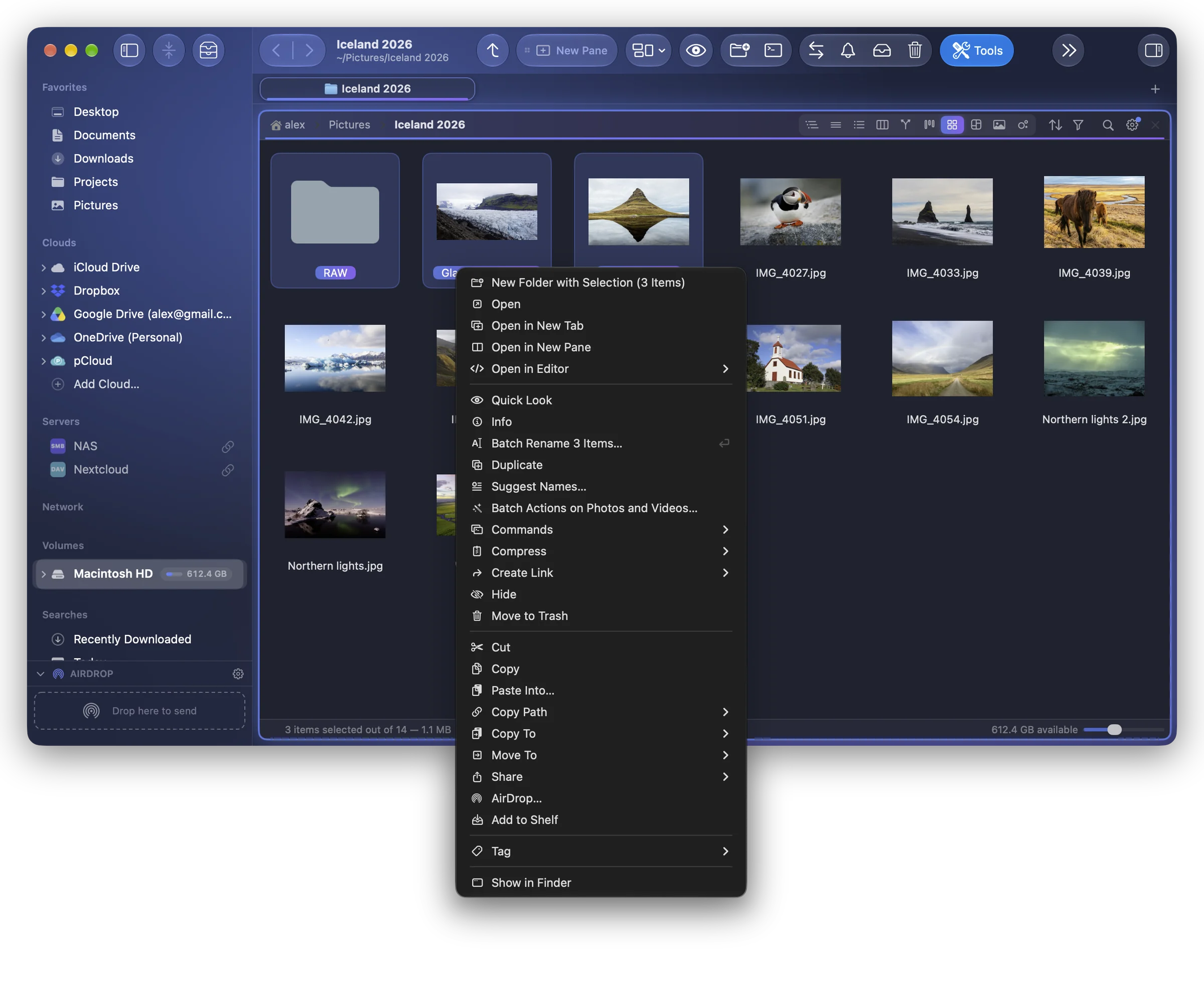
The menu you get with a right-click (or ⌃-click) in a pane can be arranged your way: Settings › Context Menu.
The two menus
At the top, Menu chooses which one you arrange:
- On Items: the menu of selected files and folders;
- On a Folder's Background: the menu of the empty space of a folder.
Arrange the actions
Each action has a place:
| Place | Where it shows |
|---|---|
| In the Menu | In the menu itself. |
| In “More” | In the More submenu, at the end of the menu. |
| Hidden | Nowhere in this menu. |
- Drag the rows to change their order.
- Add a Separator puts a line between two groups of actions; Remove this separator takes one away.
- Restore the Original Menu puts everything back.
An action still appears only where it applies: Extract Here on an archive, Open in Google Drive on a Google Drive file, the image actions on images…
Good to know
- Hidden actions stay in the main menus (File, Edit…), and keep their shortcuts.
- The changes are part of your settings' backup.
- The Services ▸ submenu that macOS adds at the end of the menu is not part of this list.
- To give a keyboard shortcut to an action, see Menu shortcuts: most actions of the right-click menu are also in the main menus, where they can have keys.