
The search filter
Keep only some kinds of items, and include hidden files, macOS's system files or the contents of packages.
The Mac App Store edition is coming soon. The website edition has everything. Compare the editions
The funnel pill of a search is its Filter, like the funnel of a pane. It narrows the results by kind, and decides what the search includes beyond your own files. Choices are applied at once, and the pill is tinted while something is chosen.
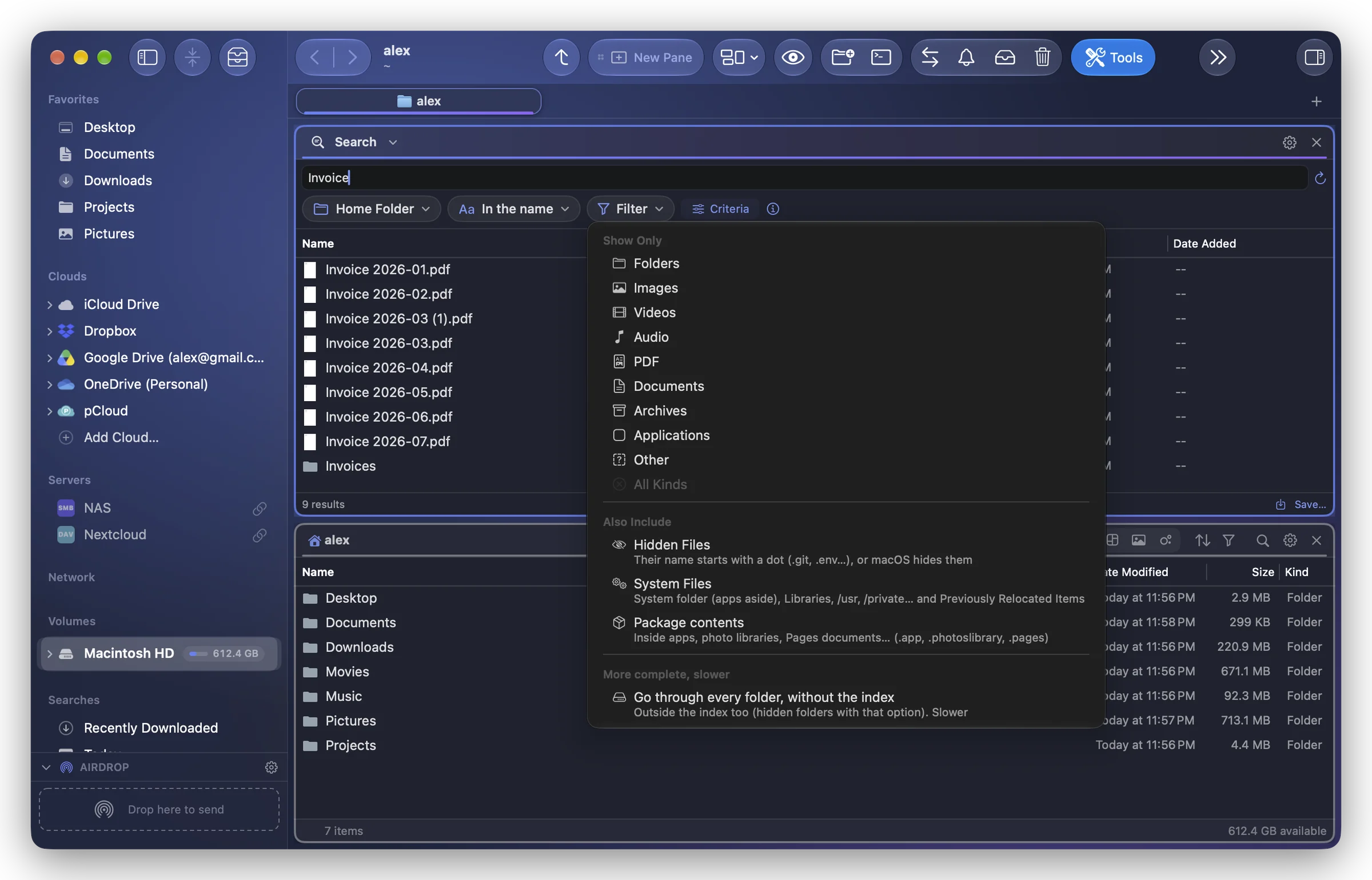
Show Only
Tick one or more kinds: Folders, Images, Videos, Audio, PDF, Documents, Archives, Applications, Other. With none ticked (or after All Kinds), every kind is kept.
Each item is told by its extension, as in the panes. The pill reads "Images", "Images, PDF", "Files" (every kind but folders) or "3 kinds".
Also Include
By default, a search leaves out three things. Tick them to include them:
- Hidden Files: items whose name starts with a dot (.git, .env…) or that macOS hides.
- System Files: macOS's own files, by where they are: the System folder (but its apps), the Mac's Library and each user's Library (~/Library), the Unix folders (/usr, /private, /opt…), what macOS set aside during an upgrade ("Previously Relocated Items" in Users › Shared) and Windows' files on a shared disk (Thumbs.db, $RECYCLE.BIN). A file is never left out for its kind: a .plist or a .js in your own folders is still searched. A place you chose among them (/Library/Fonts) is searched in full.
- Package contents: what is inside apps, photo libraries, Pages, Numbers and Keynote documents, iMovie and Final Cut libraries, plug-ins. The package itself is always found; with this choice, what it holds too.
More complete, slower
This last choice appears only where it changes something:
- Go through every folder, without the index (searches In the name): the folders outside Folia's index are gone through too, including the rest of the startup disk; with Hidden Files, the hidden folders as well.
- Read every document, without Spotlight (searches In the text): Folia Files reads PDF, Word, RTF, text and code files itself, without depending on Spotlight. Useful when Spotlight is turned off or misses a folder.
Both are much slower than the usual search: use them for a precise place rather than Everywhere.
The filter is kept
The Search module keeps its filter from one search to the next, as a pane keeps its own; Clear Search leaves it as it is. A saved search keeps its filter with it.